Close Menu
    Facebook X (Twitter) Instagram
    Trending
    • What homeowners need to know about wind loads and upkeep before installing glass railings
    • Hosting Christmas This Year? The Turkey Is the One Job Worth Handing Off
    • How High-Performance Fuel Injectors Deliver More Power and What to Check Before Upgrading
    • Can AI Image Generators Create Personalized Gift Designs?
    • Are Portable Power Stations Worth Buying for Occasional Use?
    • NFL Teams Coming Off a Bye Week Are Harder to Evaluate Than Their Records Suggest
    • Road Trip Ready: How to Prepare Your Car for an Arizona Adventure
    • The Hidden Safety Risks of Apartment Living: What Renters Often Overlook in Shared Spaces
    Bullz-Eye.com
    • Entertainment
      1. Movies
      2. TV
      3. Sports
      4. Celebrities
      Featured
      November 15, 20260

      Movie Review: “Clayface”

      Recent
      November 17, 2026

      Blu Tuesday: “The Odyssey” and More

      November 15, 2026

      Movie Review: “Clayface”

      November 15, 2026

      Movie Review: “You Can See Everything”

    • Cars
      Featured
      June 8, 20210

      Ford unveils stunning all-electric 2022 Ford F-150 Lightning

      Recent
      November 20, 2026

      How High-Performance Fuel Injectors Deliver More Power and What to Check Before Upgrading

      November 15, 2026

      Why classic car valuations vary widely across auction guides and private appraisals

      November 10, 2026

      How a Car Crash Team Builds Cases That Survive Insurer Pushback

    • Gear
      1. Gadgets
      2. Style
      Featured
      March 15, 20250

      Apple fumbles Apple Intelligence rollout

      Recent
      November 20, 2026

      Are Portable Power Stations Worth Buying for Occasional Use?

      November 4, 2026

      Are Dashcams Worth It? What They Prove After a Collision

      September 8, 2026

      Stop Asking Which AI Is Better – Use More Than One

    • Lifestyle
      1. Travel
      2. Grooming
      3. Fitness
      4. Dating
      5. Models
      Featured
      March 22, 20250

      Price gouging in Las Vegas starts to turn off travelers

      Recent
      November 21, 2026

      What homeowners need to know about wind loads and upkeep before installing glass railings

      November 20, 2026

      Hosting Christmas This Year? The Turkey Is the One Job Worth Handing Off

      November 20, 2026

      Can AI Image Generators Create Personalized Gift Designs?

    • Vices
      Featured
      November 20, 20260

      NFL Teams Coming Off a Bye Week Are Harder to Evaluate Than Their Records Suggest

      Recent
      November 20, 2026

      NFL Teams Coming Off a Bye Week Are Harder to Evaluate Than Their Records Suggest

      November 13, 2026

      Understanding Cannabis Oil Concentration And Cartridge Capacity

      November 13, 2026

      What Classic Football Films Show About Fans and Saturday Dreams

    Bullz-Eye.com
    You are at:Home»Lifestyle»How to protect yourself from a data breach

    How to protect yourself from a data breach

    0
    By Staff on January 26, 2020 Lifestyle

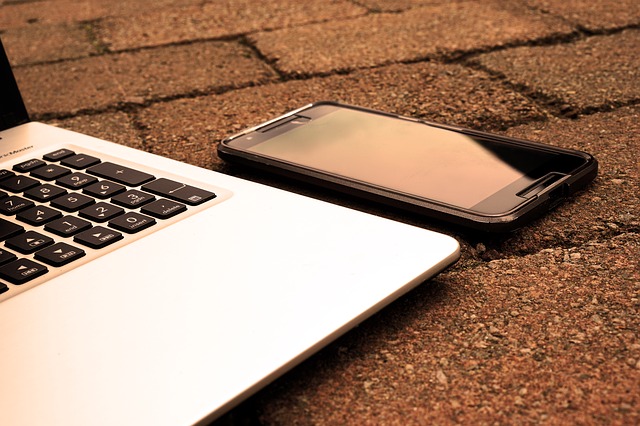
    computer and smart phone

    Have you used eBay, Yahoo or Uber within the last few years? If the answer is yes, chances that your data was stolen or hacked in some way are quite high according to the recent research. Check out the simple rules you need to obey to avoid data breach most of the times:

    1) Get the new accounts passwords in case they are hacked

    In case you use the same password not just once (what is not advised for your safety), change it for a unique one. In reality, it’s probably a wise plan to alter your sensitive passwords from time to time and to make sure they aren’t too simple to work out. In the event you will find building a lot of distinct passwords a hard job for you, you are able to install a password control software practically at a low cost or completely for free. Those tools mostly store the passwords away from your browser in a safer place.

    2) Check your financial data for unauthorized access

    Most of the cases of identity theft do not involve getting a new credit on your name, instead, thieves use your bank or credit card details to withdraw money from your account. In case you notice some unknown activity, immediately contact your bank and make them cancel all freshly requested cards and accounts and get a new one instead. Make sure you are the only person who could set up any automated payments and go for two-factor authentification so breachers would have hard times accessing your account, or have a separate card for that kind of payments instead.

    3) Take action to safeguard your own information

    Perhaps not many data access crimes happen as a consequence of somebody else’s security violation. There are tons of ways your data might be stolen and luckily you may prevent that quite easy.

    Trash all the documents which contain sensitive details. Be mindful of providing sensitive information on the telephone or clicking on links from emails and always type the name of the company’s website with your own hands. Look at the option of carrying non-RFID cards or protect yours with additional ways of protection. Utilize malware and virus applications and avoid broadcasting personal data via unprotected and public Wi-Fi networks.

    4) Opt-out of major data-collecting sites

    If you ever typed in your personal name into Google search you probably were surprised on how much of the private information may be revealed about you in a few clicks. Most of it is collected by so-called data-broker websites that gain information about a person in various places and create an online profile which might be horribly right. For example, Nuwber allows you to remove information containing in its database in just a few clicks. There are tools like Onerep that help you wipe yourself off from about 90 websites and have instructions to manually remove yourself from more than 300 of them.

    Regrettably there are no 100 per cent -fool-proof methods to guard your information even in the event that you attempt to reside completely from the Internet. But, taking these steps will minimize most of the threats. As they say, it’s usually far better to be safe than sorry!

    Share. Facebook Twitter Pinterest LinkedIn Tumblr Email
    Staff

    Related Posts

    What homeowners need to know about wind loads and upkeep before installing glass railings

    Hosting Christmas This Year? The Turkey Is the One Job Worth Handing Off

    Can AI Image Generators Create Personalized Gift Designs?

    Bullz-eye.com Videos
    Follow us!
    Bullz-Eye.com on Twitter Bullz-Eye.com on Instagram Bullz-Eye.com on Pinterest Bullz-Eye.com on Facebook
    • Pages – Home
    • Celebrity Babes
    • Entertainers
    • Guy Movies
    • TV
    Recent Posts
    • What homeowners need to know about wind loads and upkeep before installing glass railings
    • Hosting Christmas This Year? The Turkey Is the One Job Worth Handing Off
    • How High-Performance Fuel Injectors Deliver More Power and What to Check Before Upgrading
    • Can AI Image Generators Create Personalized Gift Designs?
    • Are Portable Power Stations Worth Buying for Occasional Use?
    • NFL Teams Coming Off a Bye Week Are Harder to Evaluate Than Their Records Suggest
    • Road Trip Ready: How to Prepare Your Car for an Arizona Adventure
    • The Hidden Safety Risks of Apartment Living: What Renters Often Overlook in Shared Spaces
    • Deep Sleep and Recovery: Why It Matters More Than Total Hours
    • Hurt at the Office Holiday Party? Here Is What to Do Next

    Bullz-Eye.com is an online men's lifestyle magazine that has been published since 2000.

    You can find our blog archive here.

    BULLZ-EYE INFO
    • About
    • Contact Us
    • Privacy Policy
    • Site Map
    © 2026 ThemeSphere. Designed by ThemeSphere.

    Type above and press Enter to search. Press Esc to cancel.